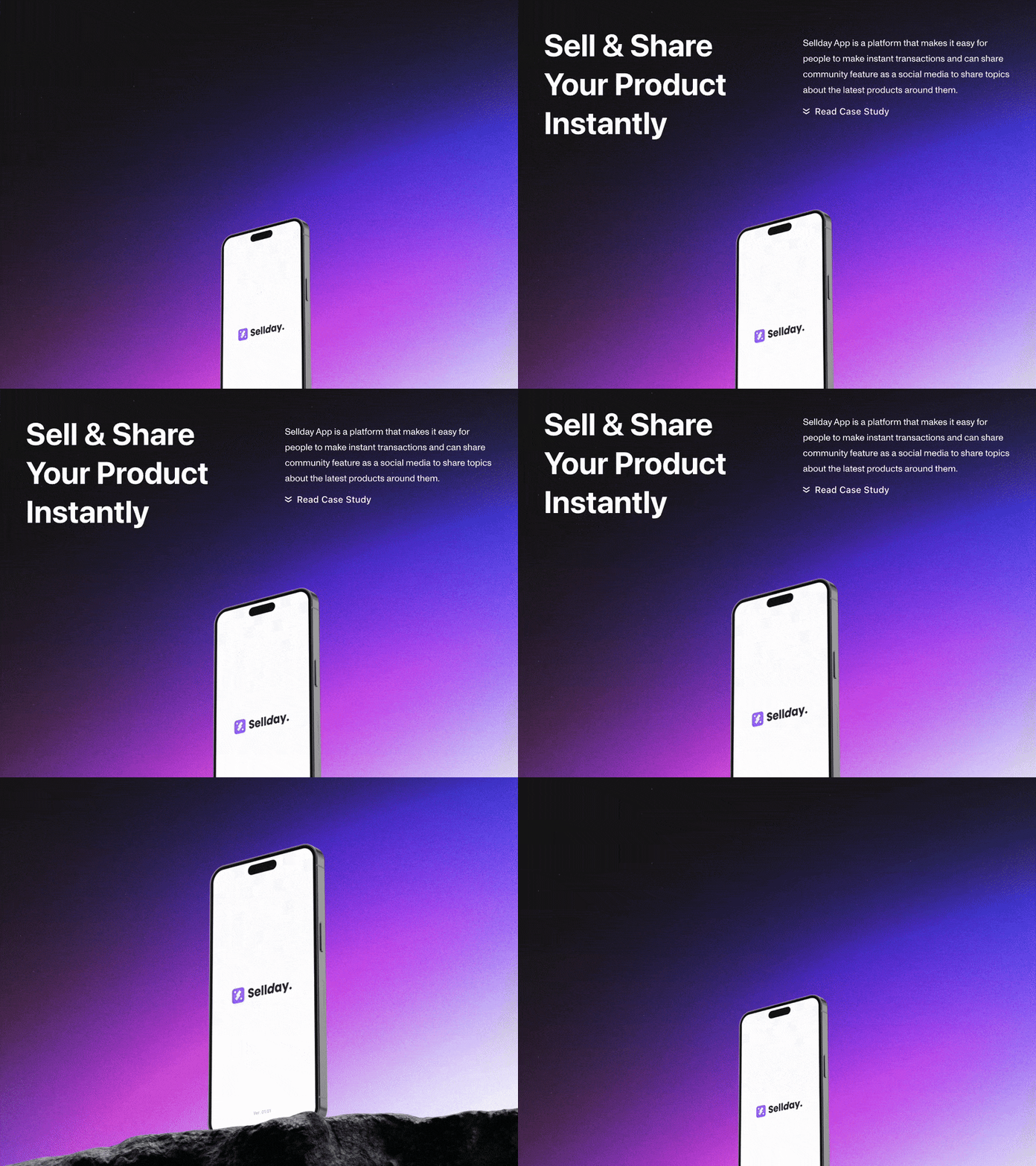
An app for instant transaction and sharing
An app for instant transaction and sharing
Sellday App is a platform that makes it easy for people to make instant transactions and can share them instantly with people, besides this app has a community feature as a social media to share topics about the latest products around them.
Sellday App is a platform that makes it easy for people to make instant transactions and can share them instantly with people, besides this app has a community feature as a social media to share topics about the latest products around them.
Client
Sellday
Sellday
Role
Product Designer
Product Designer
React-native Devs
React-native Devs
Brief
Challenges
As a designer, this app has several challenges to solve, such as the combination of marketplace and social media features and finding the most efficient transaction flow that is suitable for their target users, on the other hand, this app will have a friendly and bright style in terms of visuals.
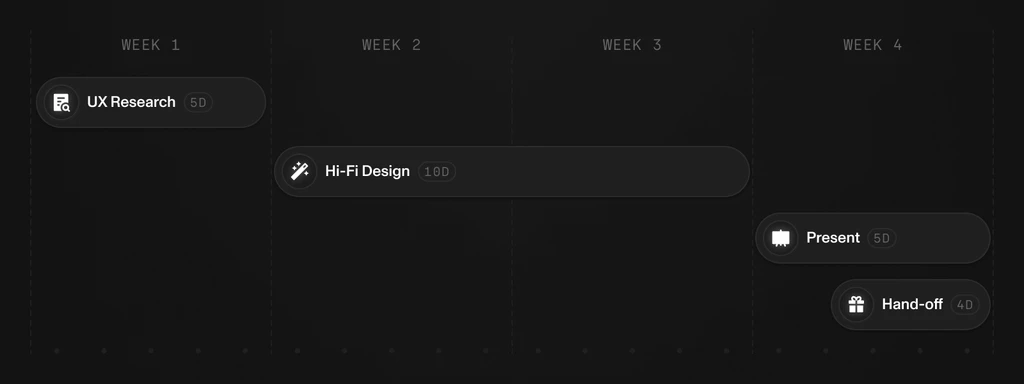
Image
4.1 Project Timeline
Goals
The goal of this project is to build an application with several main features to make transactions, share them and community features for users who want to share something with others, together with stakeholders we made an agreement to complete the project within 20 days with the process of research, design, and present.
Research
User analysis
The user analysis process is a data-driven approach that begins with tracking user interactions and behaviors to identify patterns and preferences. This data informs the creation of user personas and guides the development of tailored features is crucial for refining the app's design and functionality, ensuring a user-centric and intuitive experience.
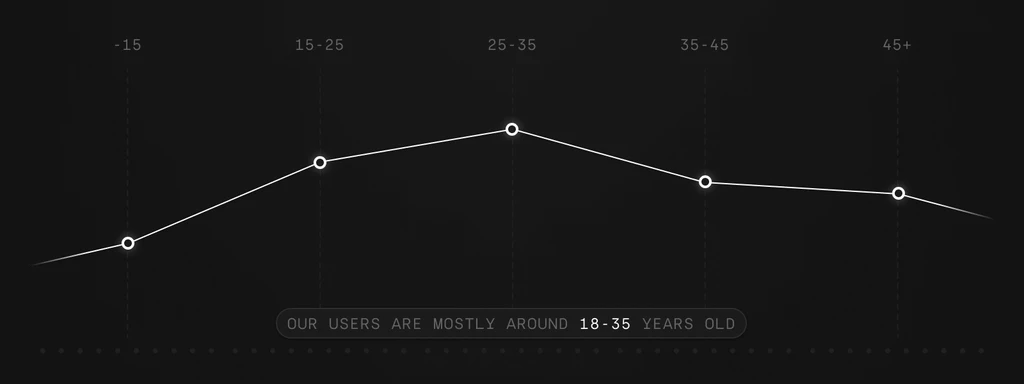
Image
4.2 User analysis
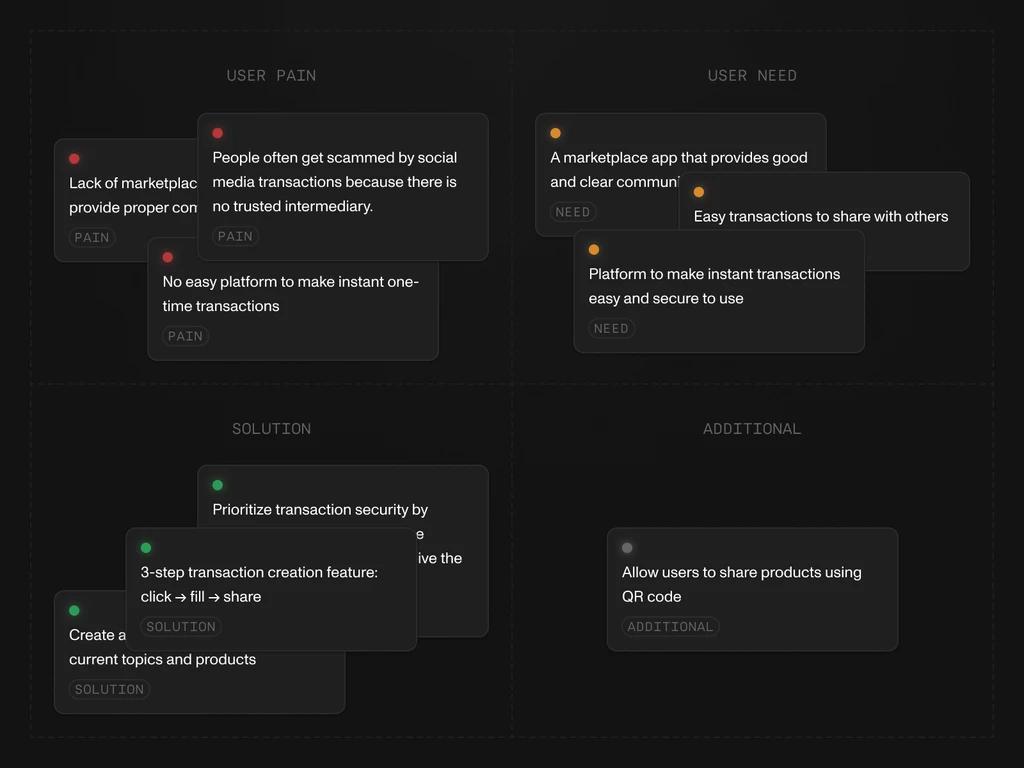
Image
4.3 User analysis
App Architecture
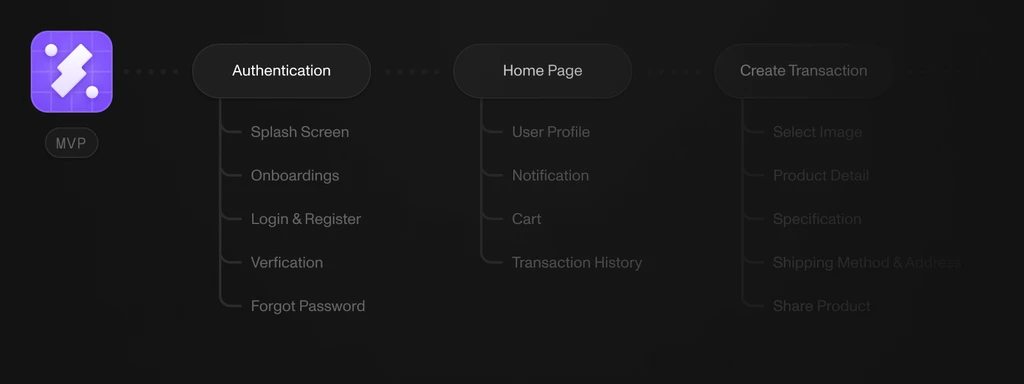
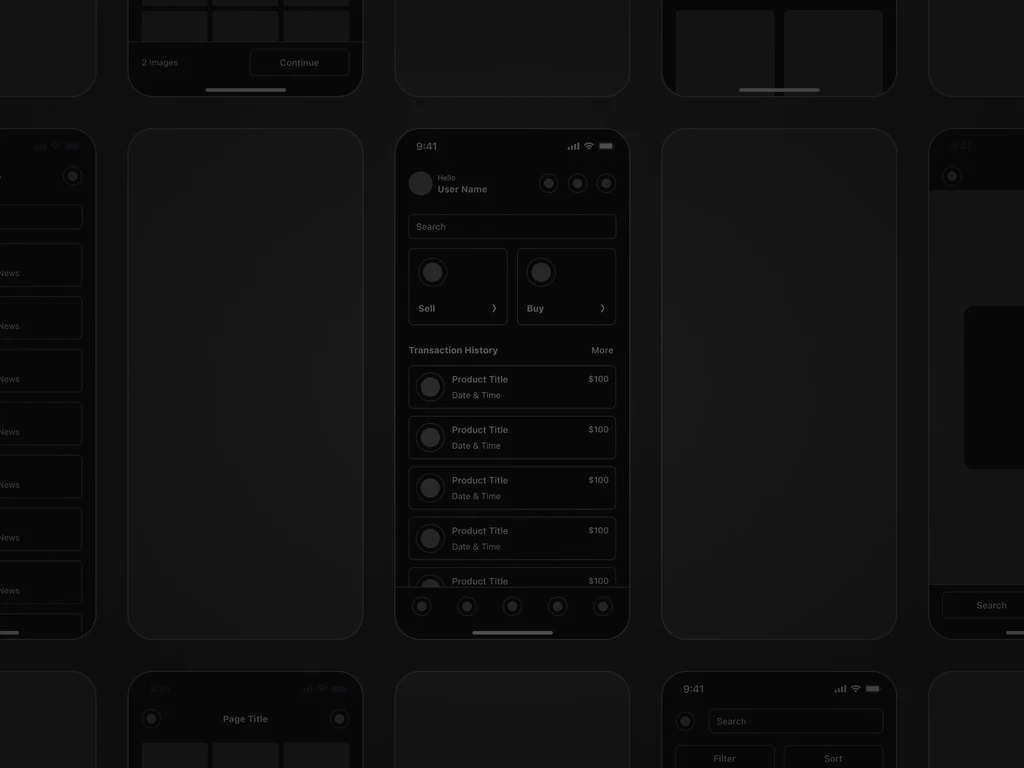
This is the beginning, before we start the design process, we need to create a map of the features that will be in this application, along with the details to ensure that the flow we create is the most efficient flow for users to use.
Image
4.4 App architecture
Image
4.5 App mockups
Design
Components
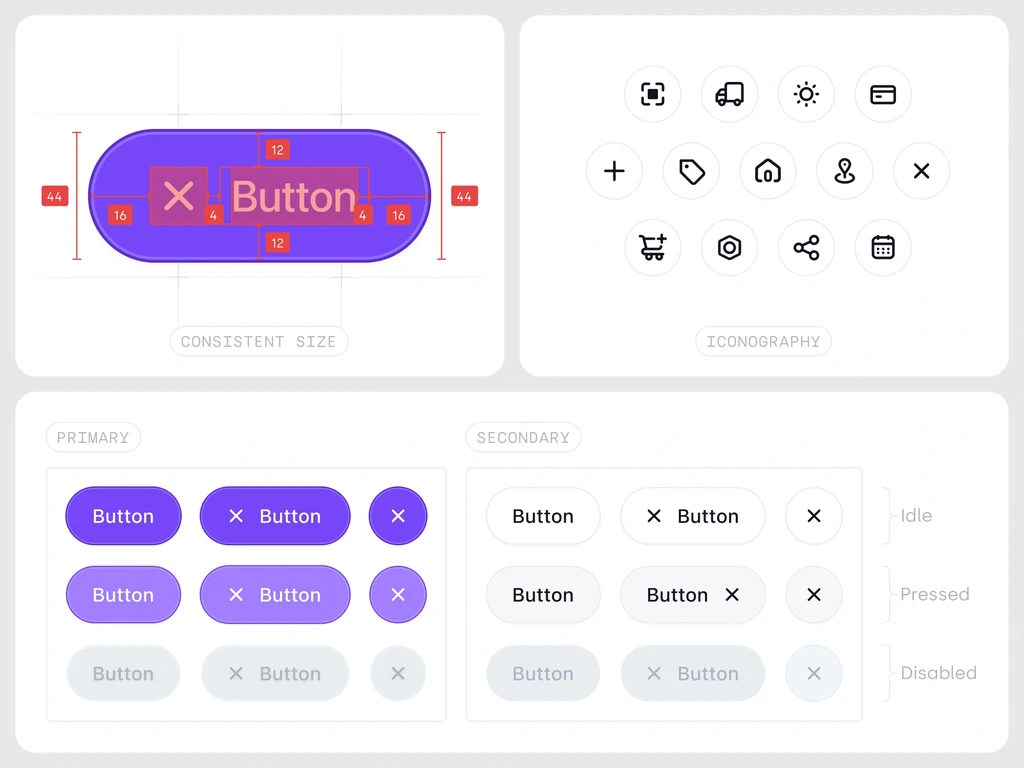
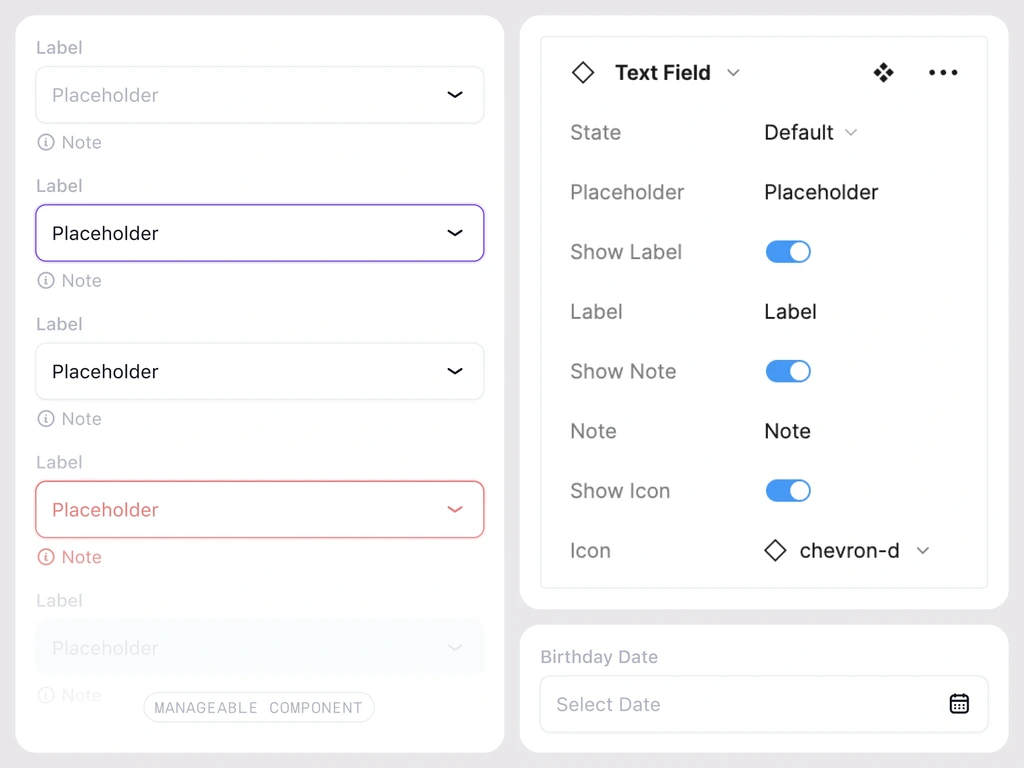
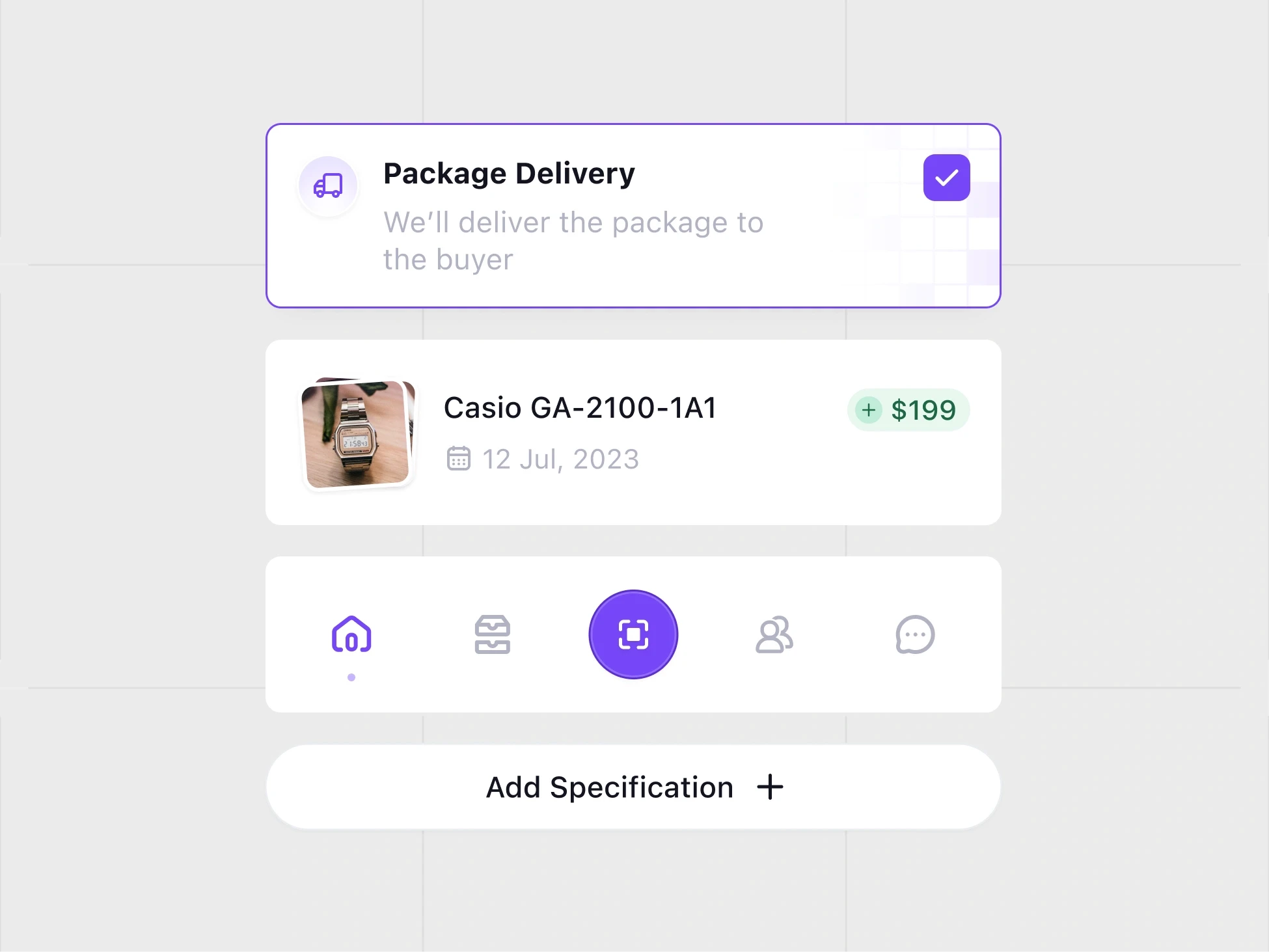
The design process begins with the creation of reusable components such as buttons, text input, and others to make it easier in the creation of hi-fi designs. in this phase we choose the color scheme according to sellday brand and make sure every element passes the accessibility test.
Image
4.6 Design system
Image
4.7 Design system
Hi-fi design
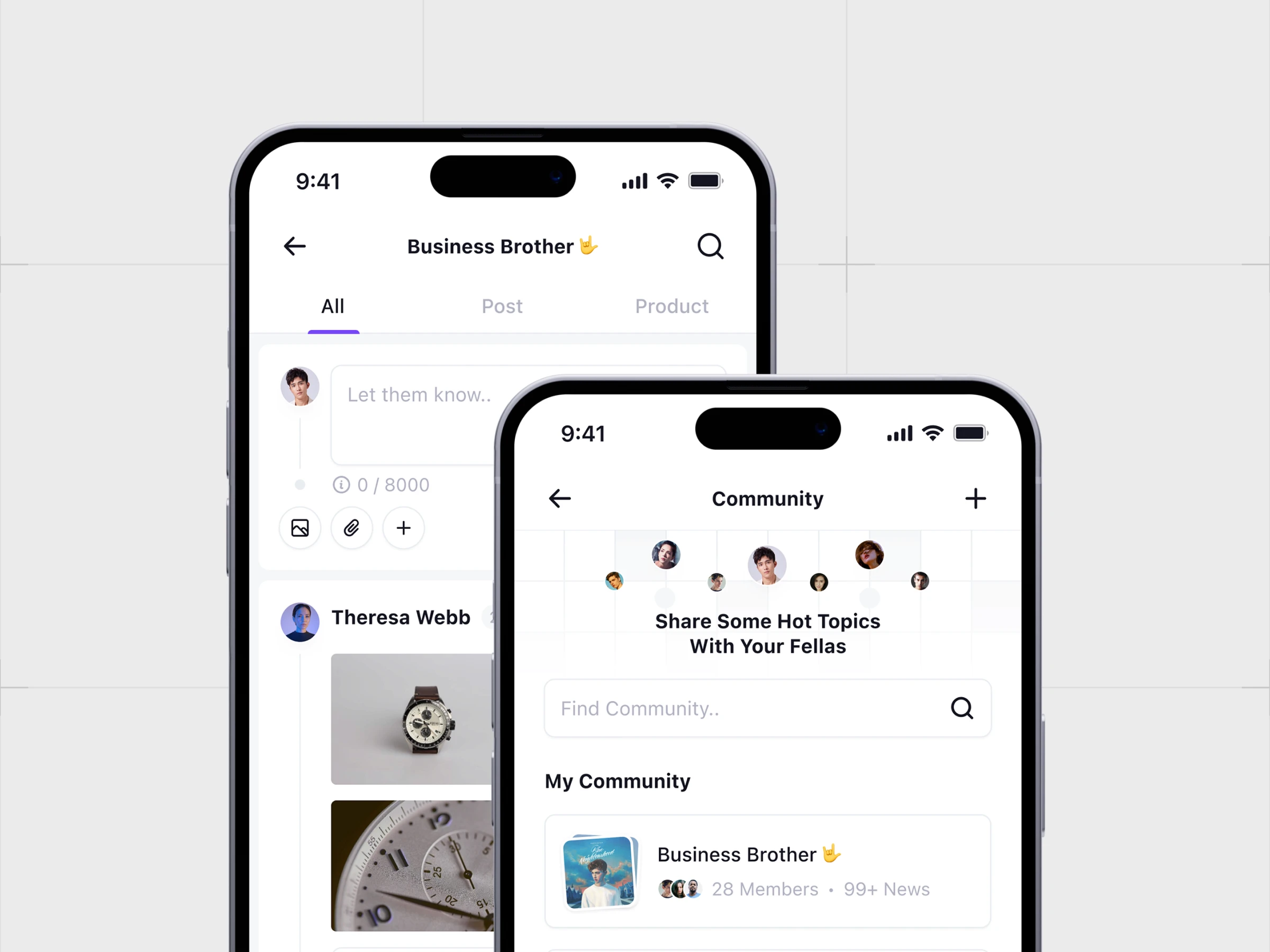
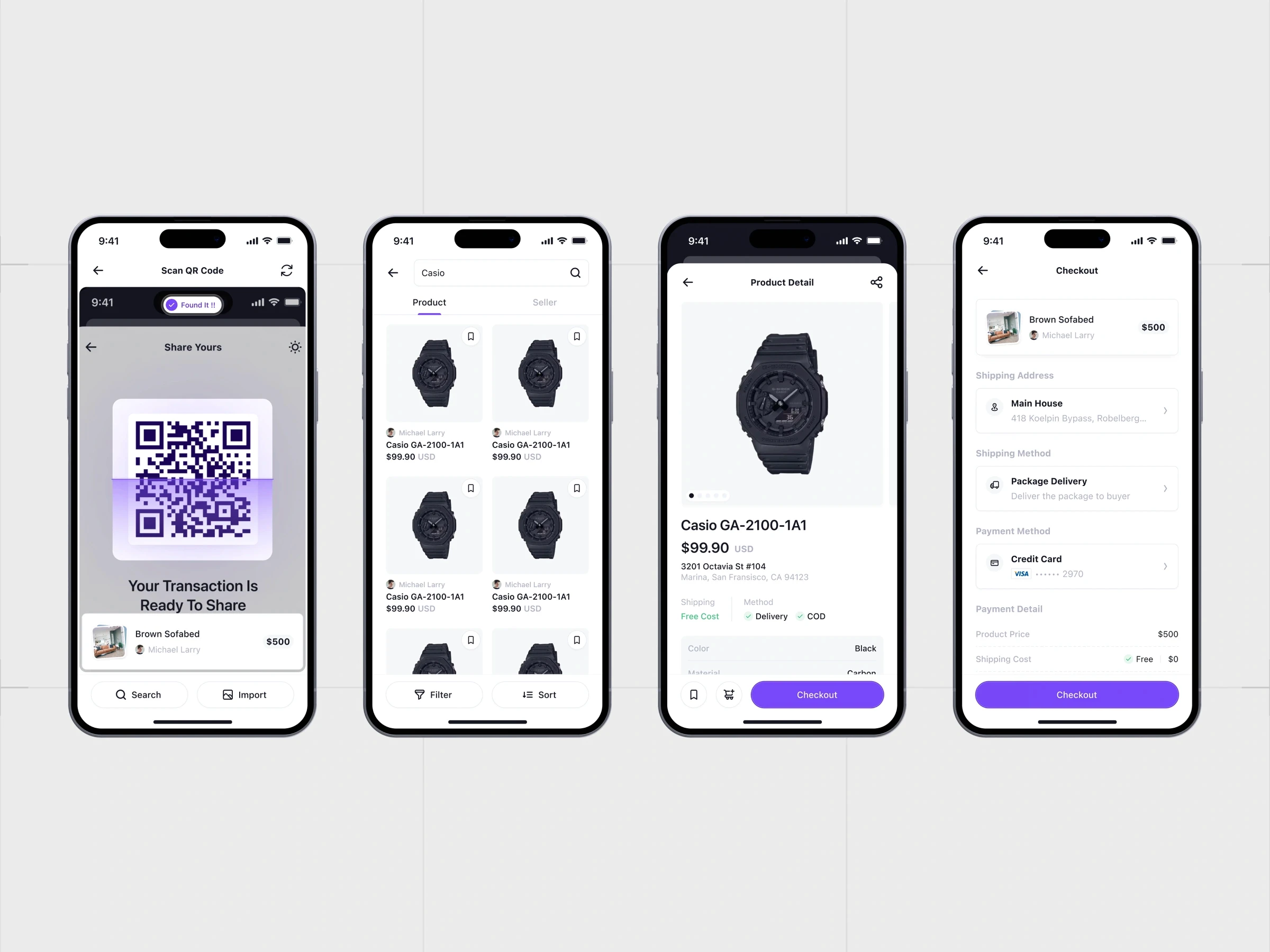
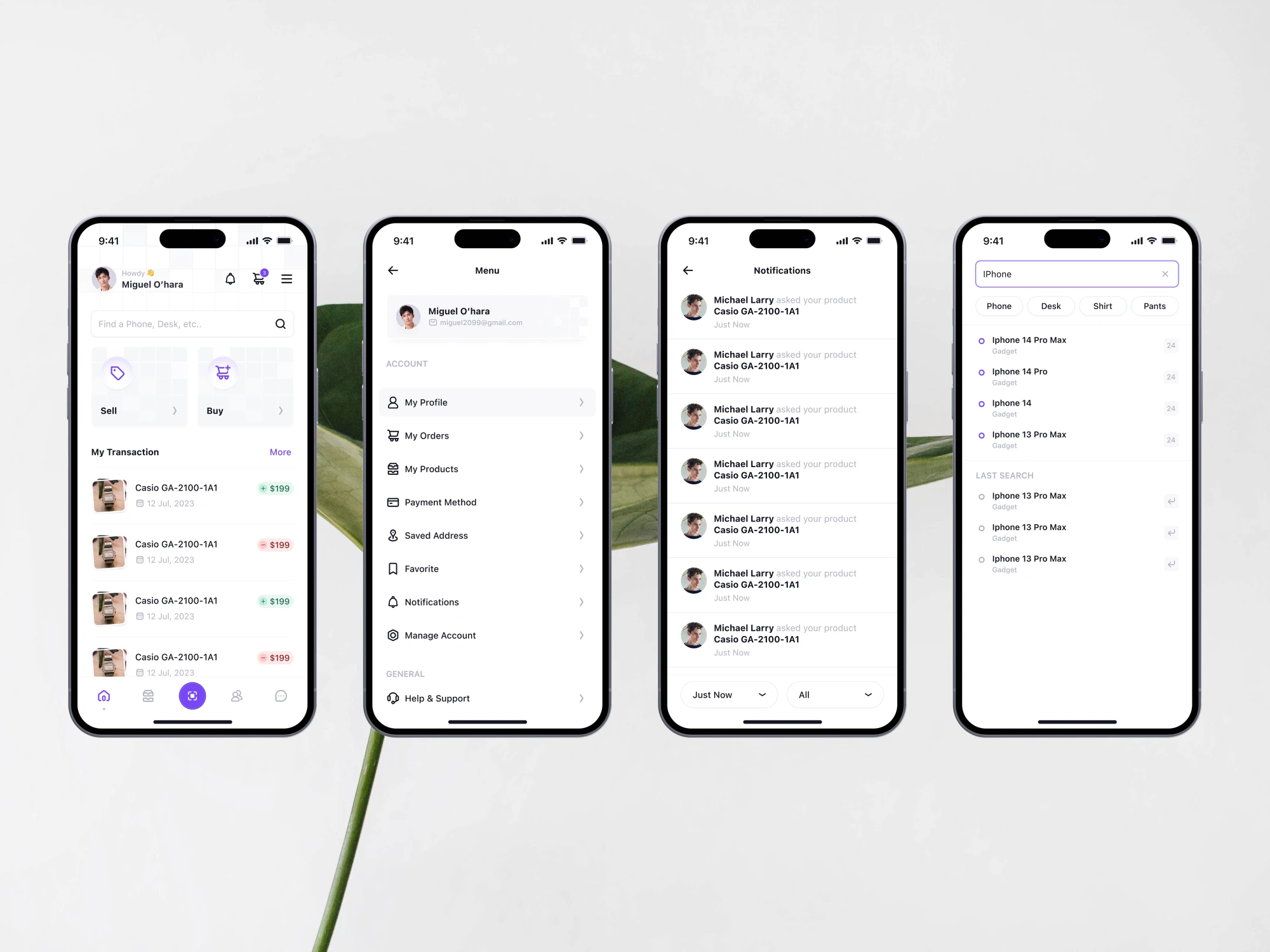
Design the visual from the collected data, and make iterations for each page, because we believe the first design that come up is not the best design to use.
Image
4.8 HI-fi design
Image
4.9 Hi-fi design
Image
4.10 Hi-fi design

Image
GIF
4.11 Hi-fi design
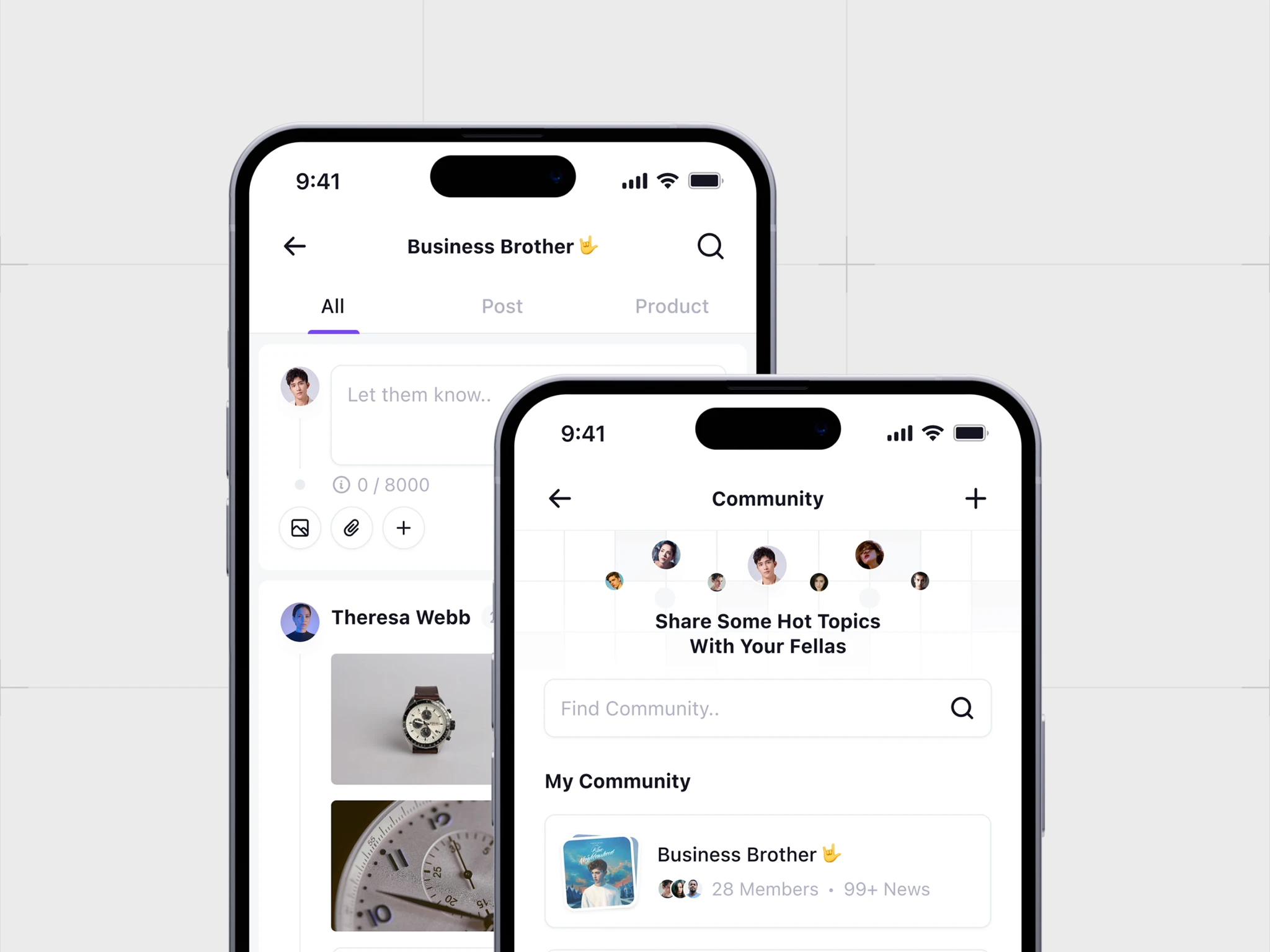
Image
4.12 HI-fi design
4.12 Hi-fi design
Image
4.3 User analysis
Image
4.2 User analysis
User analysis
As a designer, this app has several challenges to solve, such as the combination of marketplace and social media features and finding the most efficient transaction flow that is suitable for their target users, on the other hand, this app will have a friendly and bright style in terms of visuals.
Hand-off
Documentation
In this package, you'll find a range of assets, including design files, wireframes, user interface elements, and detailed documentation. This collection serves as a valuable resource, helping you understand our design choices and providing stakeholders development team.
Image
4.1 Project Timeline
Challenges
As a designer, this app has several challenges to solve, such as the combination of marketplace and social media features and finding the most efficient transaction flow that is suitable for their target users, on the other hand, this app will have a friendly and bright style in terms of visuals.
Goals
The goal of this project is to build an application with several main features to make transactions, share them and community features for users who want to share something with others, together with stakeholders we made an agreement to complete the project within 20 days with the process of research, design, and present.
Image
4.7 Design system
Image
4.6 Design system
Components
The design process begins with the creation of reusable components such as buttons, text input, and others to make it easier in the creation of hi-fi designs. in this phase we choose the color scheme according to sellday brand and make sure every element passes the accessibility test.
Image
4.8 HI-fi design
Hi-fi design
Design the visual from the collected data, and make iterations for each page, because we believe the first design that come up is not the best design to use.
GIF
4.11 Hi-fi design
Image
4.12 Hi-fi design
Image
4.9 Hi-fi design
Image
4.10 Hi-fi design
Image
4.5 App mockups
Image
4.4 App architecture
App Architecture
This is the beginning, before we start the design process, we need to create a map of the features that will be in this application, along with the details to ensure that the flow we create is the most efficient flow for users to use.
Documentation
In this package, you'll find a range of assets, including design files, wireframes, user interface elements, and detailed documentation. This collection serves as a valuable resource, helping you understand our design choices and providing stakeholders development team.