
5 Keys. Endless Possibilities.
KeyFlow redefines how we type on personal devices, making the experience intuitive, responsive, and enjoyable. With clear physical and digital cues, users can navigate quickly and easily express their thoughts. The keyboard layout features an ETAOINSHRDLU configuration based on the frequency of letter usage in common English words.
Team
Mike Nguyen
Dang Khoa
Hanh Dung
My role
Product Design
& Research
5 Keys. Endless Possibilities.
KeyFlow redefines how we type on personal devices, making the experience intuitive, responsive, and enjoyable. With clear physical and digital cues, users can navigate quickly and easily express their thoughts. The keyboard layout features an ETAOINSHRDLU configuration based on the frequency of letter usage in common English words.
Team
Mike Nguyen
Dang Khoa
Hanh Dung
My role
Product Design
& Research
5 Keys. Endless Possibilities.
KeyFlow redefines how we type on personal devices, making the experience intuitive, responsive, and enjoyable. With clear physical and digital cues, users can navigate quickly and easily express their thoughts. The keyboard layout features an ETAOINSHRDLU configuration based on the frequency of letter usage in common English words.
Team
Mike Nguyen
Dang Khoa
Hanh Dung
My role
Product Design
& Research
Ideation

Image
1.1 Type of keyboards
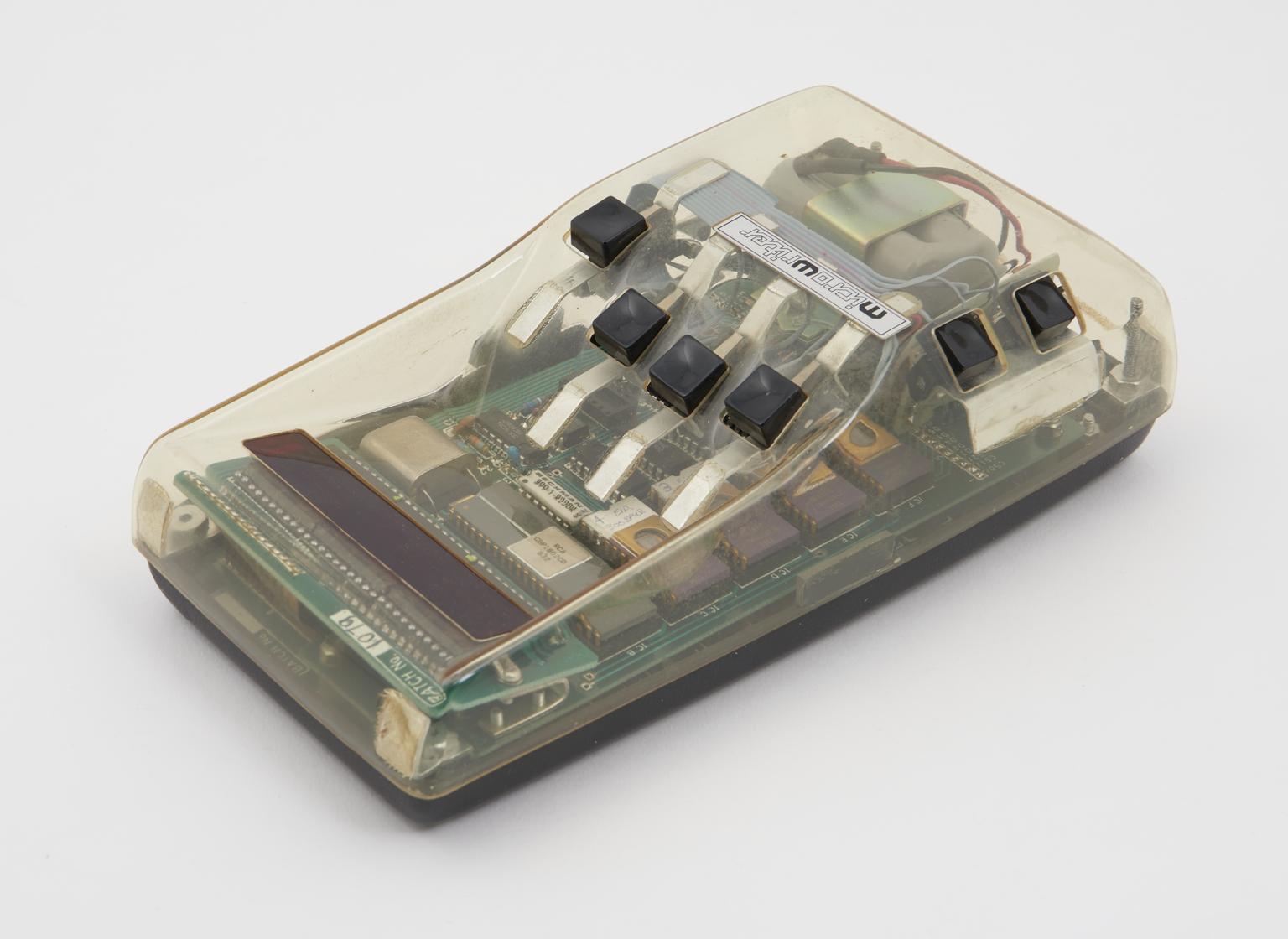
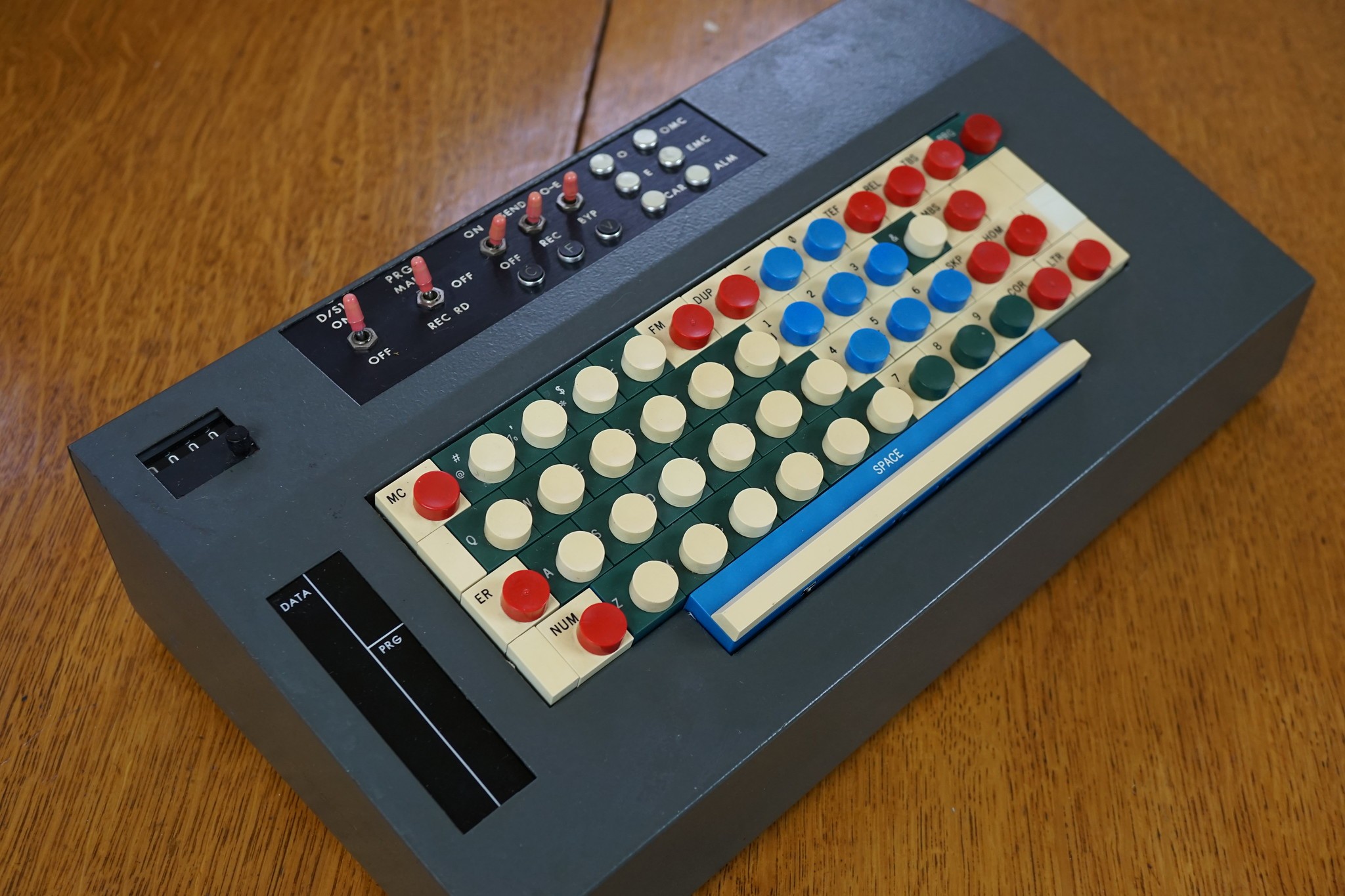
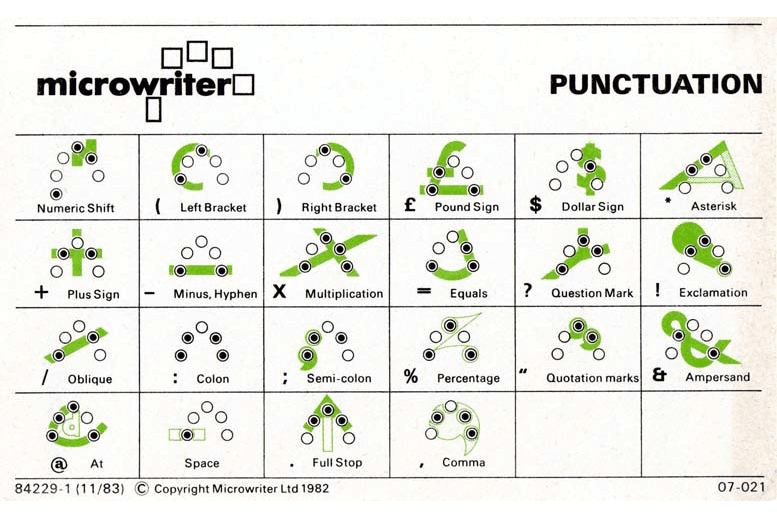
We explored various typing methods beyond the familiar QWERTY keyboard, leading us to some intriguing inventions. We discovered Douglas Engelbart's Chorded Keyboard, Cy Endfield's Microwriter, the Twiddler, and the Tap Strap. Each of these examples served a different purpose, and it was fascinating to understand the reasons behind their limited adoption.
We explored various typing methods beyond the familiar QWERTY keyboard, leading us to some intriguing inventions. We discovered Douglas Engelbart's Chorded Keyboard, Cy Endfield's Microwriter, the Twiddler, and the Tap Strap. Each of these examples served a different purpose, and it was fascinating to understand the reasons behind their limited adoption.
Research
Image
1.2 Key board heat map
The Rationale Behind QWERTY Layout
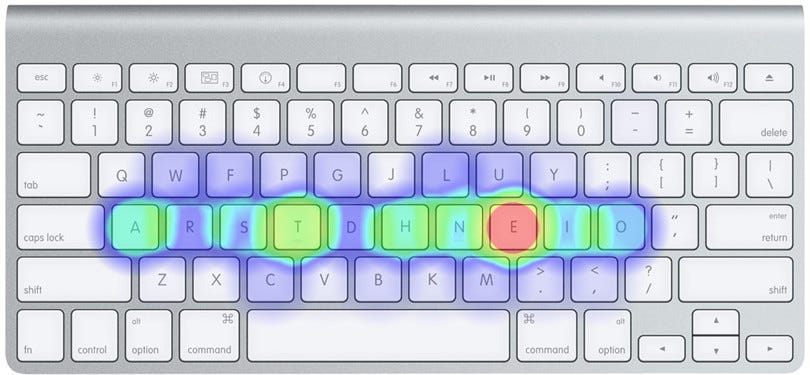
We were always exploring methods to enhance typing speed. This exploration led us to organize the letters based on their frequency in the Roman alphabet, specifically in the order of ETAOINSHRDLCU. Although this would introduce a new mental model for users, we planned to test our prototype to evaluate how easily people could adapt after just a few minutes of typing.
Image
1.2 Key board heat map
The Rationale Behind QWERTY Layout
We were always exploring methods to enhance typing speed. This exploration led us to organize the letters based on their frequency in the Roman alphabet, specifically in the order of ETAOINSHRDLCU. Although this would introduce a new mental model for users, we planned to test our prototype to evaluate how easily people could adapt after just a few minutes of typing.
How might we reimagine typing using only 5 keys and still allow for a satisfying experience?
How might we reimagine typing using only 5 keys and still allow for a satisfying experience?
We needed to develop the software and hardware for this project. Each of us came up with five ideas each and we evaluated them collectively. Once we narrowed down on three directions, we quickly prototyped the interface on processing. While for the form explorations we used a combination of rapid prototyping and sketching to inform our final decision.
We needed to develop the software and hardware for this project. Each of us came up with five ideas each and we evaluated them collectively. Once we narrowed down on three directions, we quickly prototyped the interface on processing. While for the form explorations we used a combination of rapid prototyping and sketching to inform our final decision.
Processing

Image
1.3 Circular interface pattern
Circular Interface
The circular interface we prototyped in processing was easy to understand and fun to use. It performed lower in the speed of typing but the interface was much simpler than our other explorations. We decided to drop the idea because it reminded us of existing typing mechanisms in cars.
Image
1.4 Chorded interface pattern
Chorded Interface
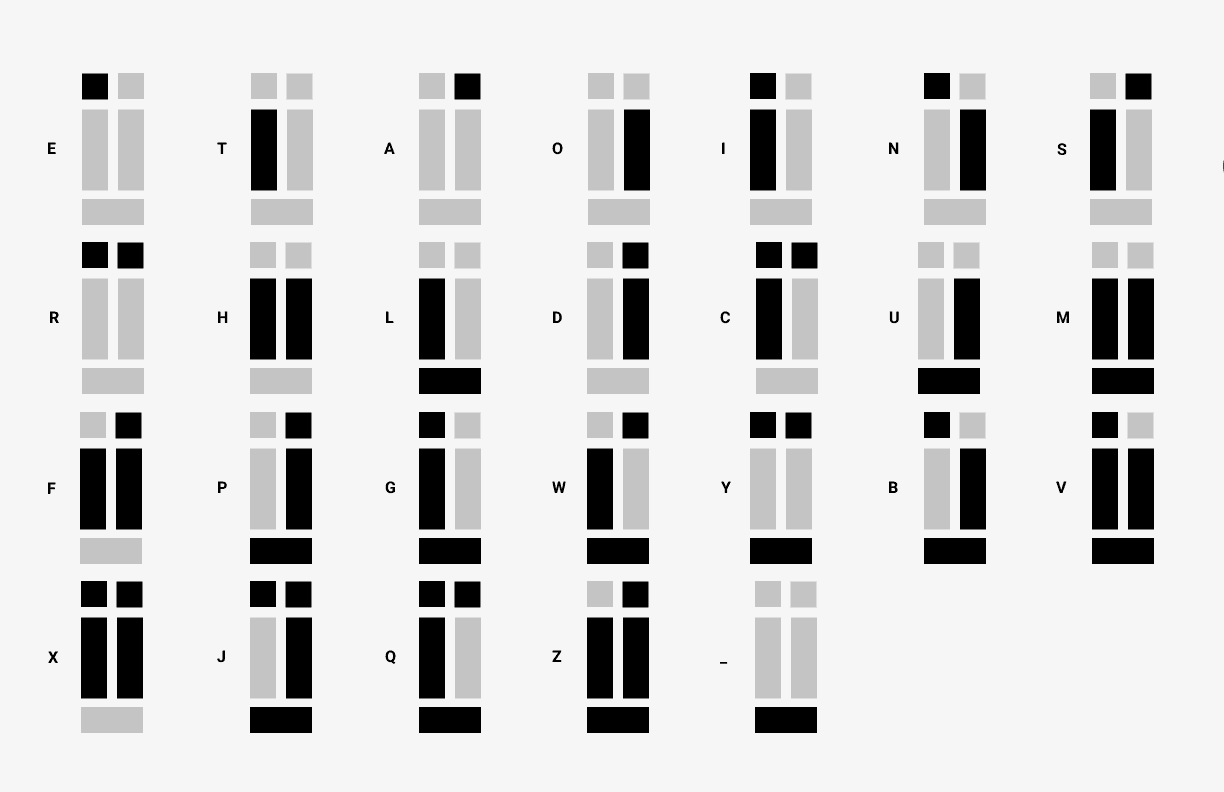
Inspired by the pattern in our research, we developed a chorded mechanism. We recognised the cognitive load it would have on a user, so we tried to devise a new method which had a higher correlation between the letter being typed and the buttons being pressed.
Image
1.5 Tabular interface pattern
Tabular Interface
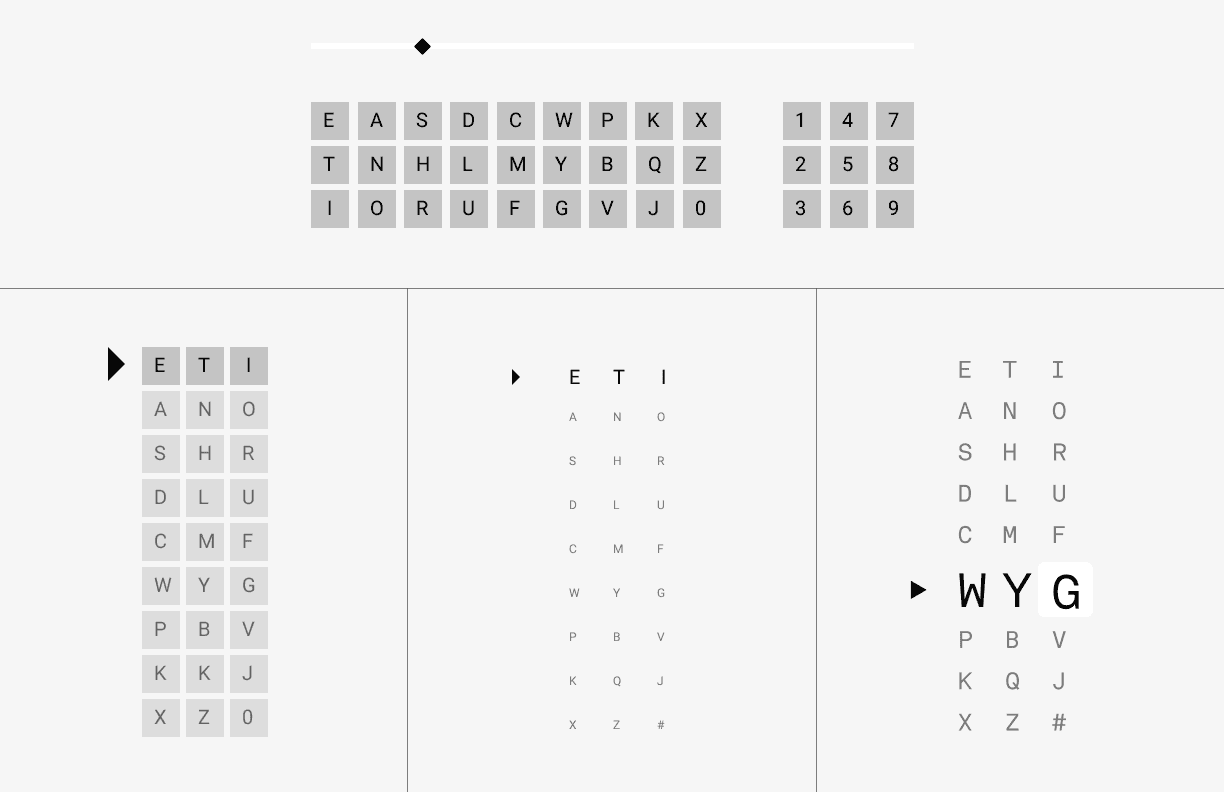
Our circular layout only used one button, while the chorded keyboard used all five. The tabular keyboard exploration used three buttons and had a unique, but intuitive interface. We prototyped this on Processing and found it to be the most successful option of the three.
Image
1.6 Prototype pieces
Rapid Prototyping
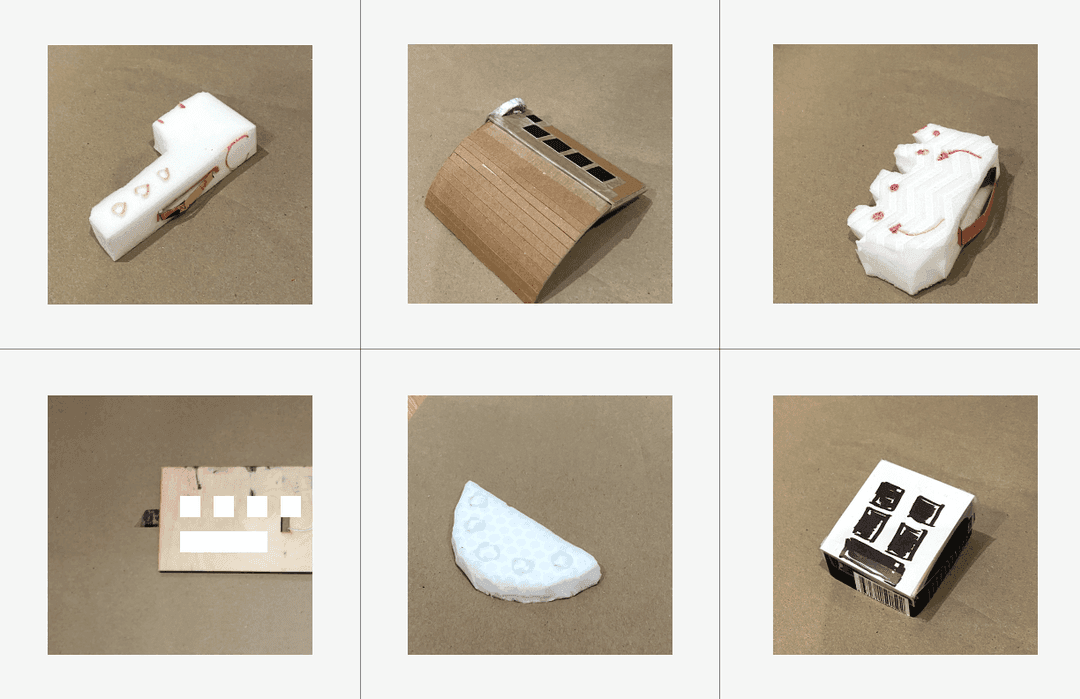
We created several lo-fi prototypes to explore the form of the keyboard. Our final device was a sleek sandwich of opaque and transparent sections that revealed the multi-coloured circuits powering the prototype.
Image
1.7 Prototype sketches
Sketches
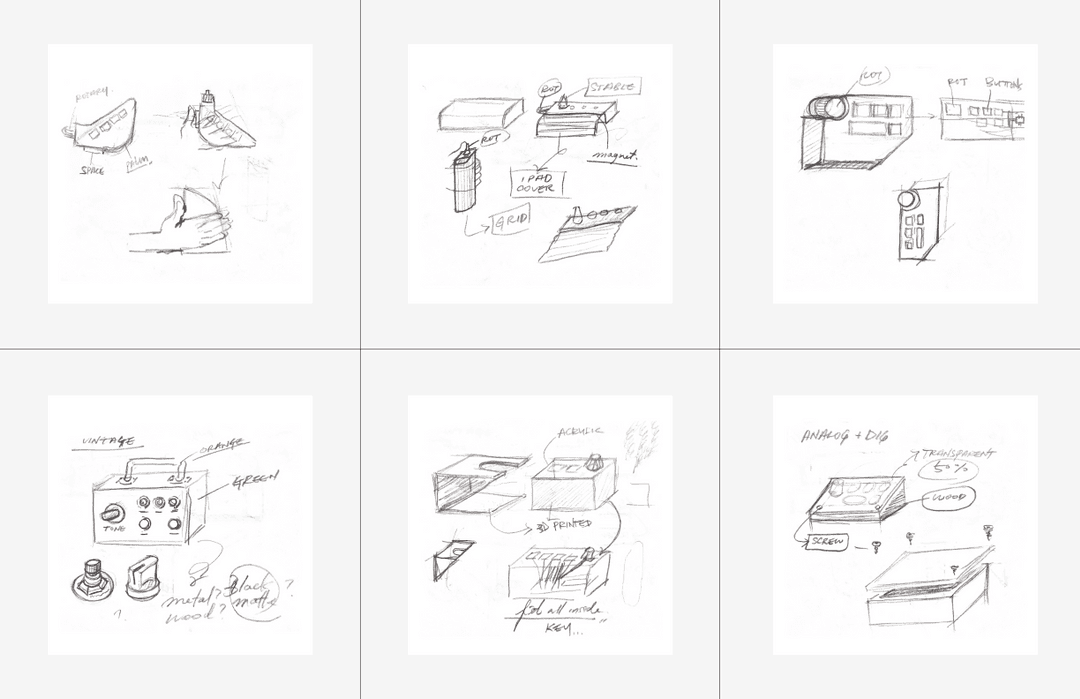
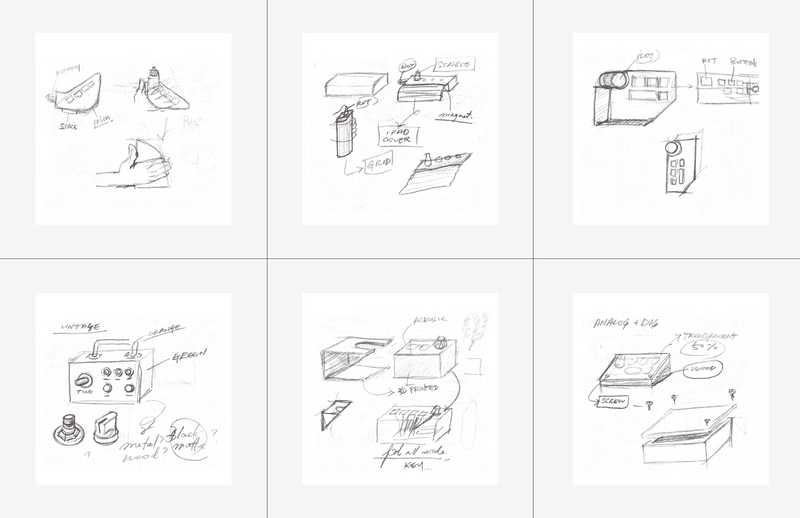
Parallel to our lo-fi prototypes, we sketched out a few form explorations to consider the different functions the keyboard could provide and what materials may be required to create it.
Image
1.8 Criteria of success map
Evaluating our Explorations
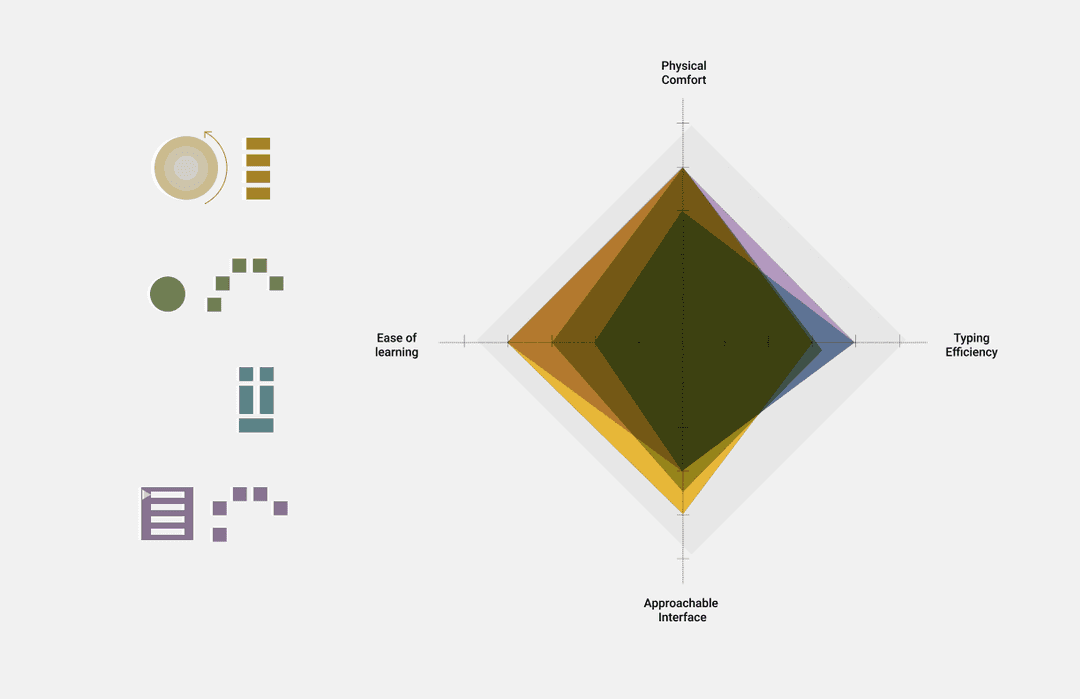
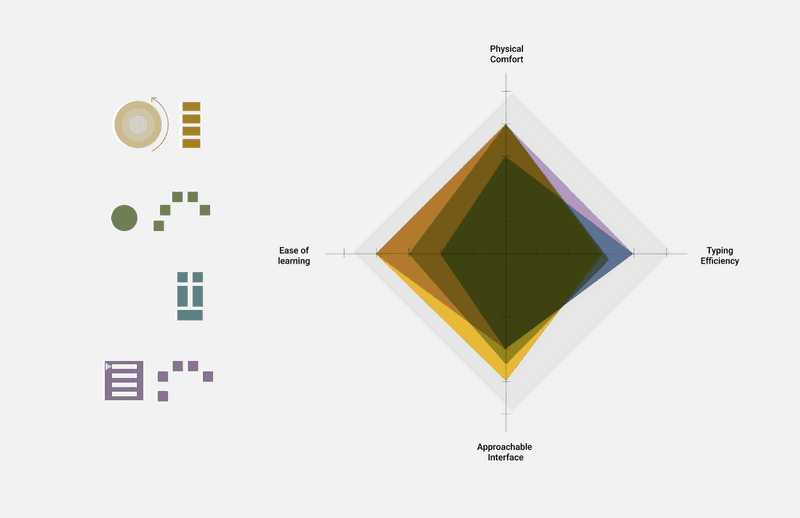
We created our criteria of success for the keyboard based on four parameters and mapped our 5 ideas against them - physical comfort, typing efficiency, ease of learning and approachable interface. This framework allowed us to be very practical about our work and justify our final choices.
Image
1.3 Circular interface pattern
Circular Interface
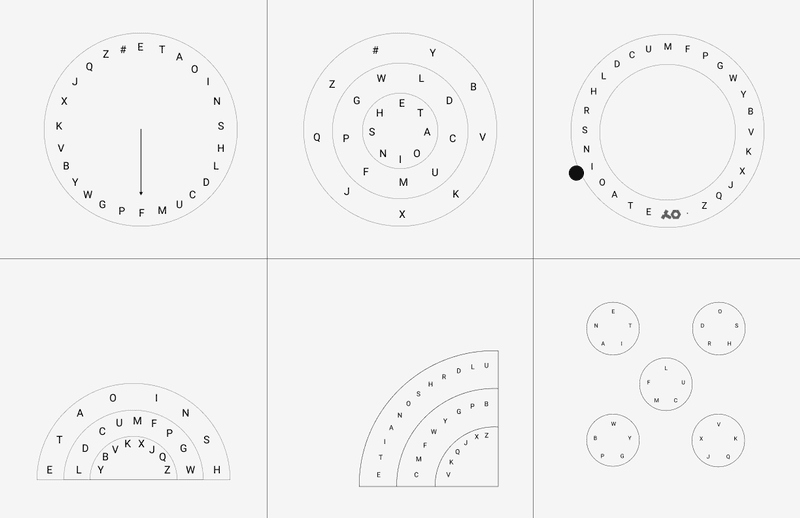
The circular interface we prototyped in processing was easy to understand and fun to use. It performed lower in the speed of typing but the interface was much simpler than our other explorations. We decided to drop the idea because it reminded us of existing typing mechanisms in cars.
Image
1.4 Chorded interface pattern
Chorded Interface
Inspired by the pattern in our research, we developed a chorded mechanism. We recognised the cognitive load it would have on a user, so we tried to devise a new method which had a higher correlation between the letter being typed and the buttons being pressed.
Image
1.5 Tabular interface pattern
Tabular Interface
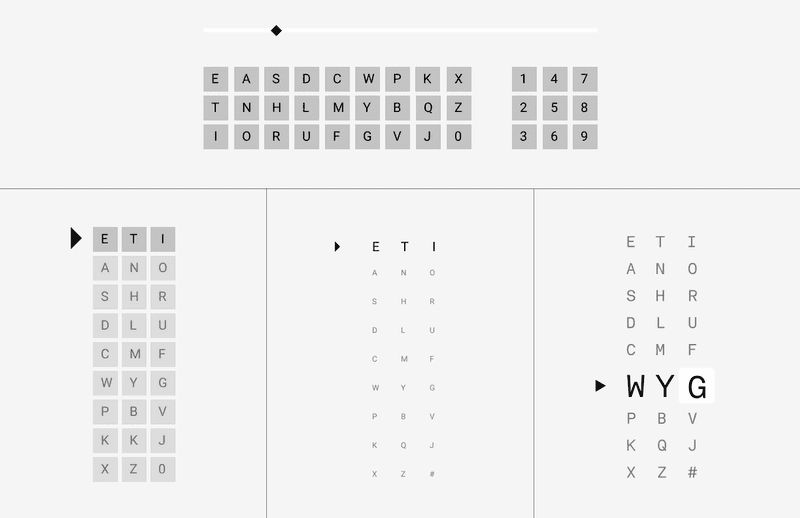
Our circular layout only used one button, while the chorded keyboard used all five. The tabular keyboard exploration used three buttons and had a unique, but intuitive interface. We prototyped this on Processing and found it to be the most successful option of the three.
Image
1.6 Prototype pieces
Rapid Prototyping
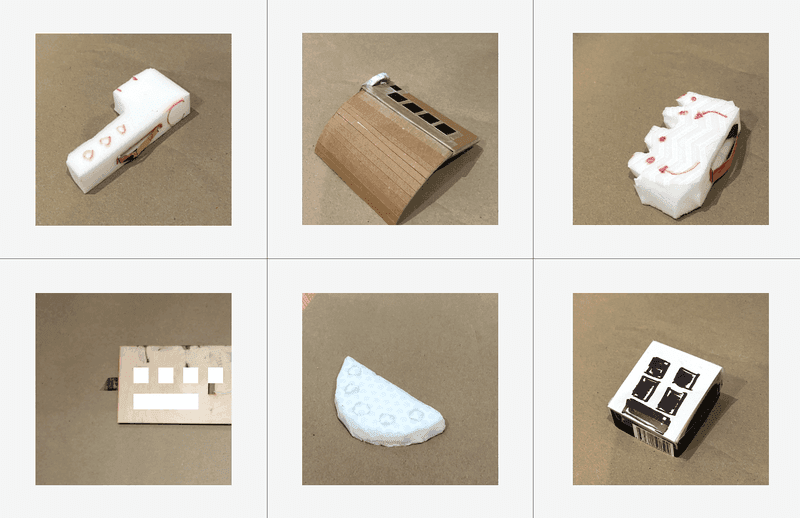
We created several lo-fi prototypes to explore the form of the keyboard. Our final device was a sleek sandwich of opaque and transparent sections that revealed the multi-coloured circuits powering the prototype.
Image
1.7 Prototype sketches
Sketches
Parallel to our lo-fi prototypes, we sketched out a few form explorations to consider the different functions the keyboard could provide and what materials may be required to create it.
Image
1.8 Criteria of success map
Evaluating our Explorations
We created our criteria of success for the keyboard based on four parameters and mapped our 5 ideas against them - physical comfort, typing efficiency, ease of learning and approachable interface. This framework allowed us to be very practical about our work and justify our final choices.
02
Defining
Designing the prototype

Rest in pieces
Rest in pieces
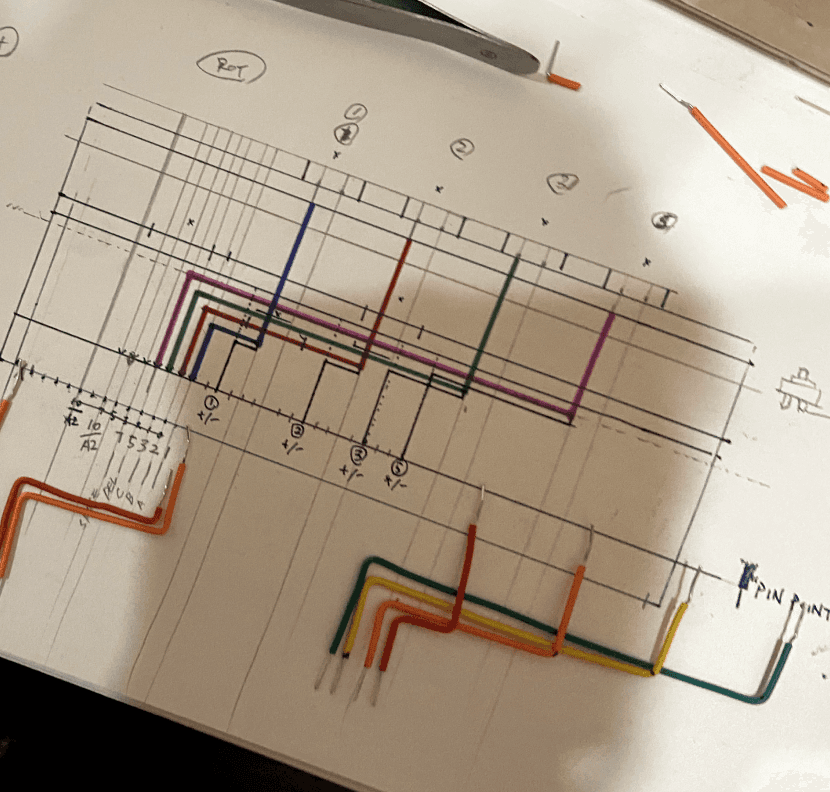
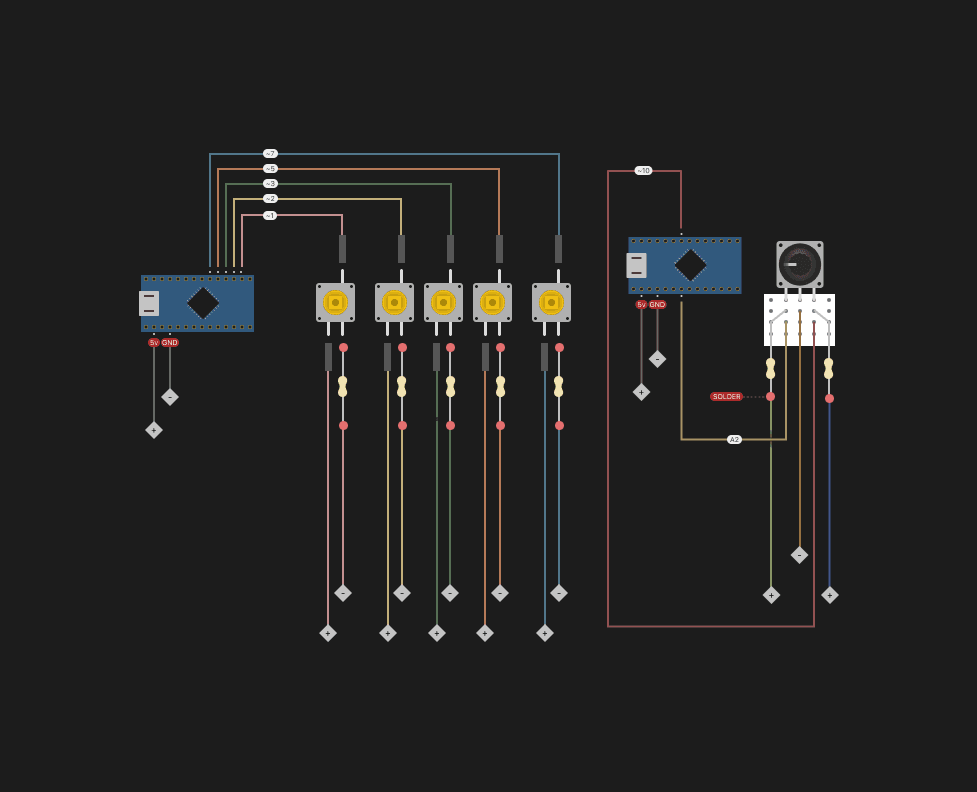
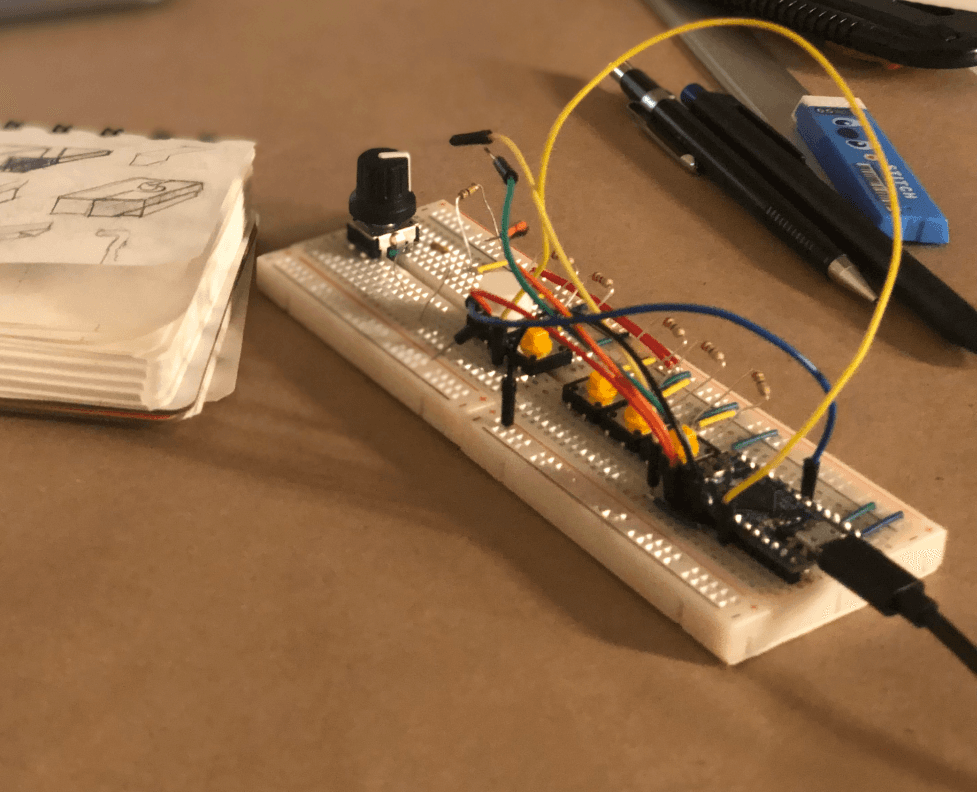
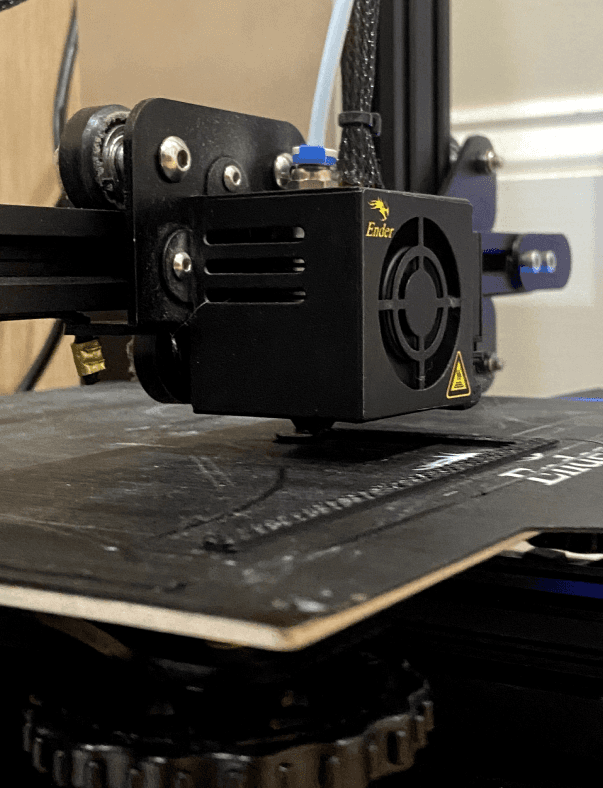
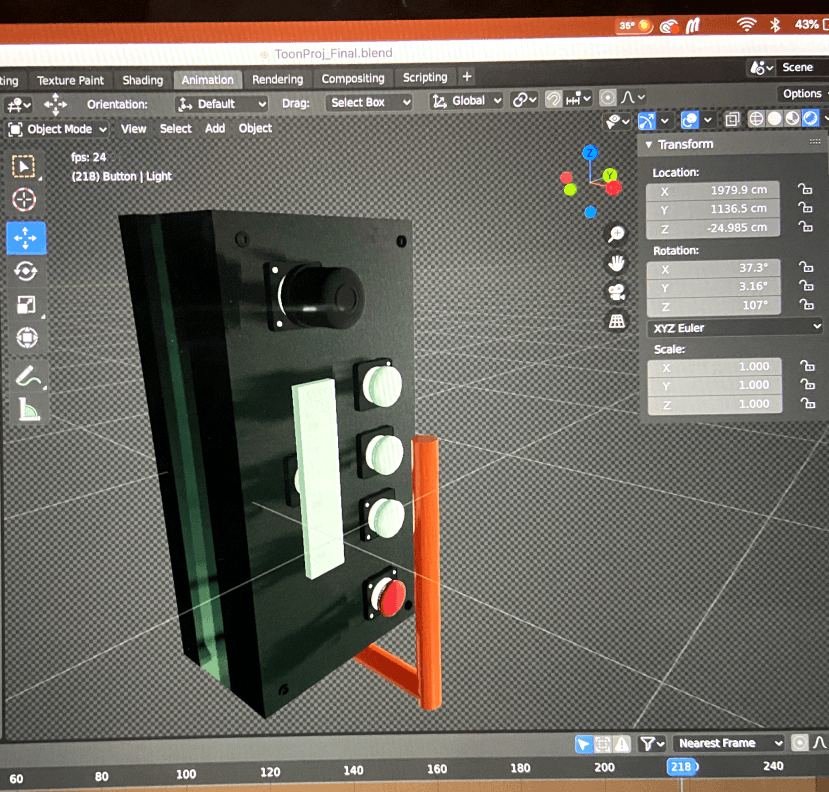
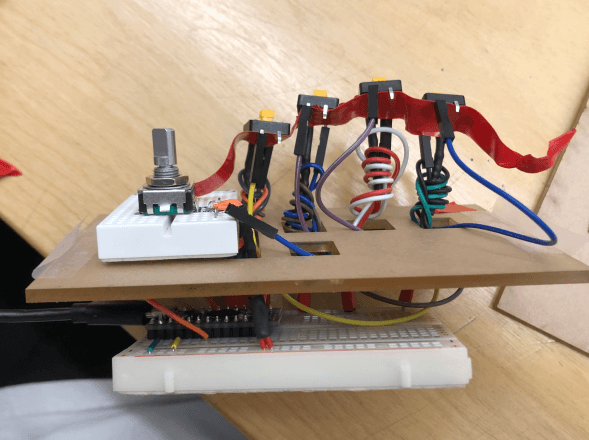
This project was the embodiment of what it means to prototype. We worked tirelessly to think of new ways to make our circuit more compact and more efficient. We made a lot of mistakes along the way and constantly adapted our strategies as we began understanding the materials we were working with more deeply. I would like to claim we became professional solderers by the end of it. This is a tiny gallery of some of our trials that didn’t make it to the final prototype.
This project was the embodiment of what it means to prototype. We worked tirelessly to think of new ways to make our circuit more compact and more efficient. We made a lot of mistakes along the way and constantly adapted our strategies as we began understanding the materials we were working with more deeply. I would like to claim we became professional solderers by the end of it. This is a tiny gallery of some of our trials that didn’t make it to the final prototype.
Image
1.9 prototype part
The Twister
The Twister

Image
1.10 prototype part_2
The Upside Down
The Upside Down

Image
1.11 prototype part_3
The Loop
The Loop
The product
Image
1.12 The product
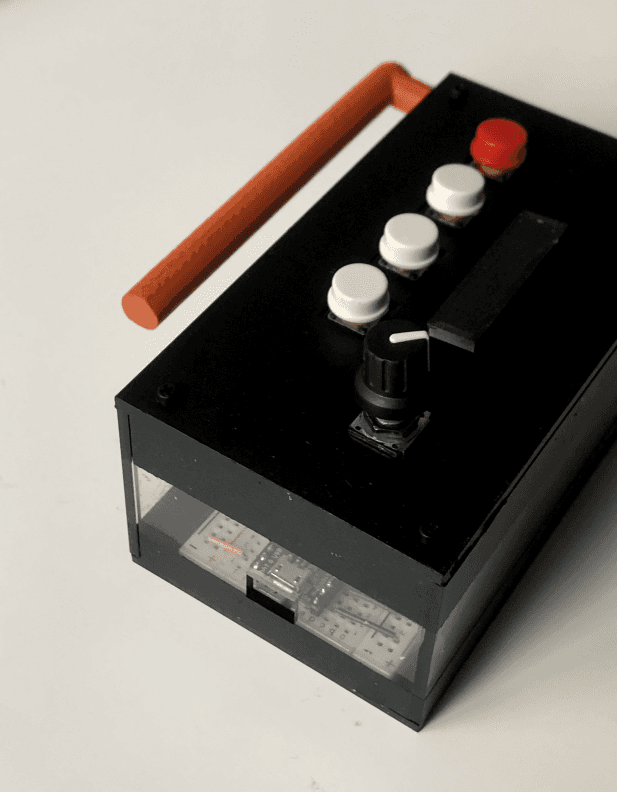
How Do You Do?
Based on Bill Verplank’s IxD Sketchbook, we learned about the difference between a button and a handle. A handle allows for expression, through continuous control both in space and time. Whereas a button is more symbolic affects precision. For our prototype we used 5 buttons and 1 rotary dial. By using physical computing, we were able to make a working prototype of the software and hardware.
Image
1.13 The product_2
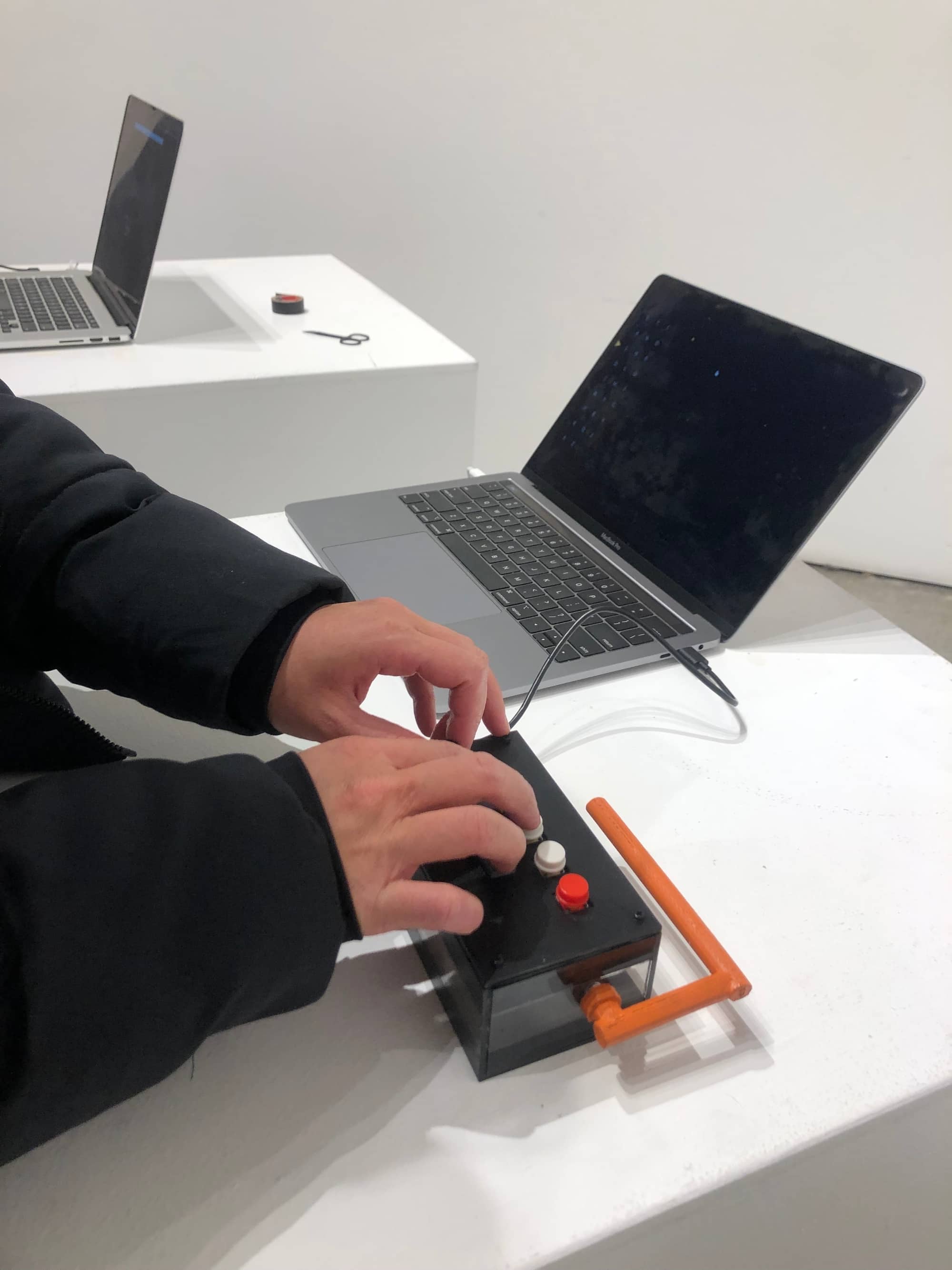
How Do You Feel?
‘Designers are continually faced with this choice of suggestion or clarity, metaphor or model, poetry or law.’ The choice of the senses we considered will determine how people experience our prototype. We wanted to focus on ‘seeing’ and ‘touching’. We accounted for the average hand size when considering the positioning and size of keys.
Image
1.14 The product_3
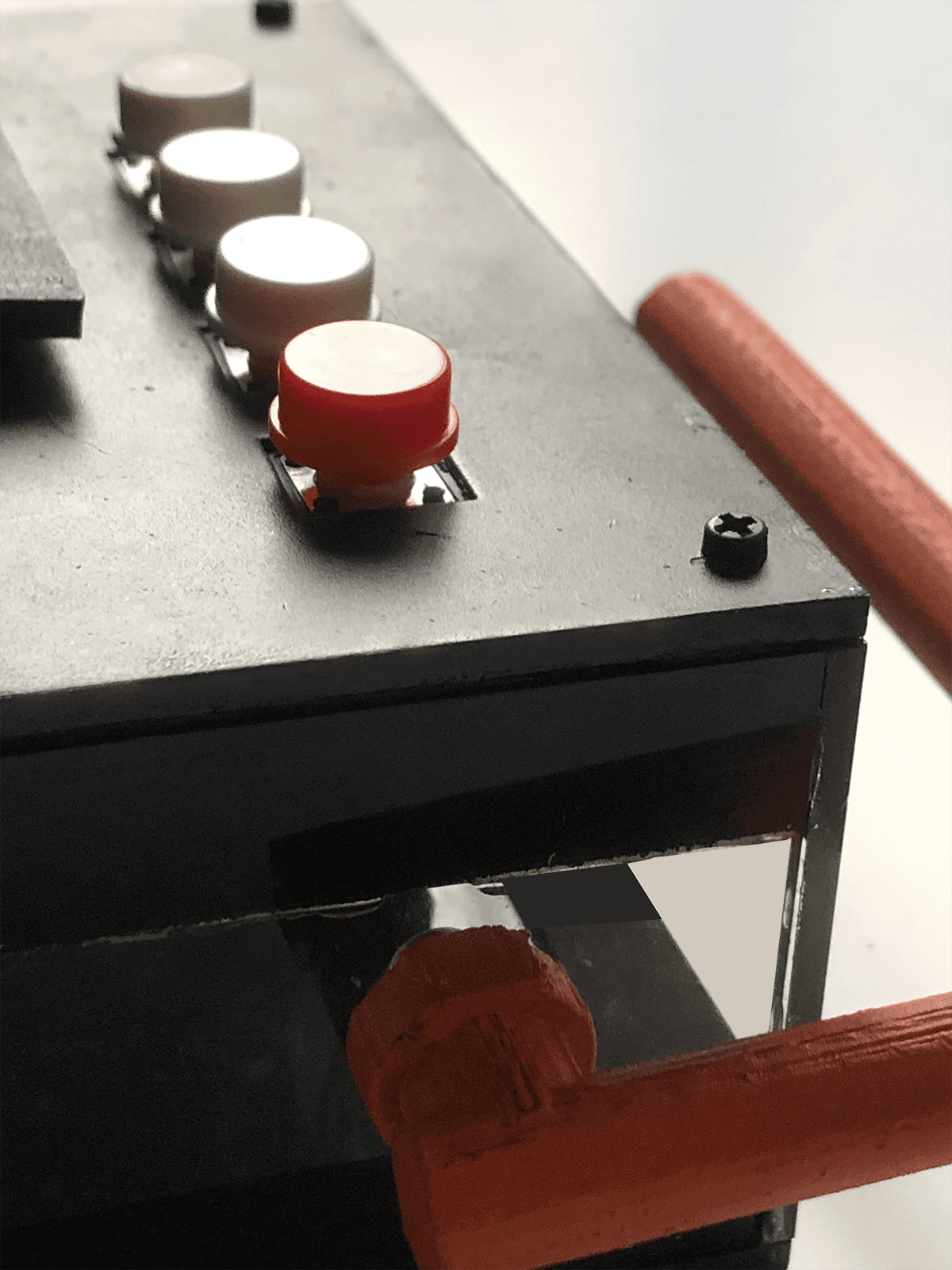
A Balancing Act
Just as Marshall McLuhan divided all media into cool and hot, we tried to balance both types in our prototype. The orange handle we designed and rotary dial both allowed for the user to manipulate and play with the angle, while the keys invited participation but were more fixed in nature.
Image
1.2 Key board heat map
A Balancing Act
Just as Marshall McLuhan divided all media into cool and hot, we tried to balance both types in our prototype. The orange handle we designed and rotary dial both allowed for the user to manipulate and play with the angle, while the keys invited participation but were more fixed in nature.
Image
1.2 Key board heat map
The Rationale Behind QWERTY Layout
Based on Bill Verplank’s IxD Sketchbook, we learned about the difference between a button and a handle. A handle allows for expression, through continuous control both in space and time. Whereas a button is more symbolic affects precision. For our prototype we used 5 buttons and 1 rotary dial. By using physical computing, we were able to make a working prototype of the software and hardware.
Image
1.2 Key board heat map
The Rationale Behind QWERTY Layout
We were always exploring methods to enhance typing speed. This exploration led us to organize the letters based on their frequency in the Roman alphabet, specifically in the order of ETAOINSHRDLCU. Although this would introduce a new mental model for users, we planned to test our prototype to evaluate how easily people could adapt after just a few minutes of typing.
04
Delivering
03
Designing
01
Discovering